First steps with T&A - connecting the work time recorder
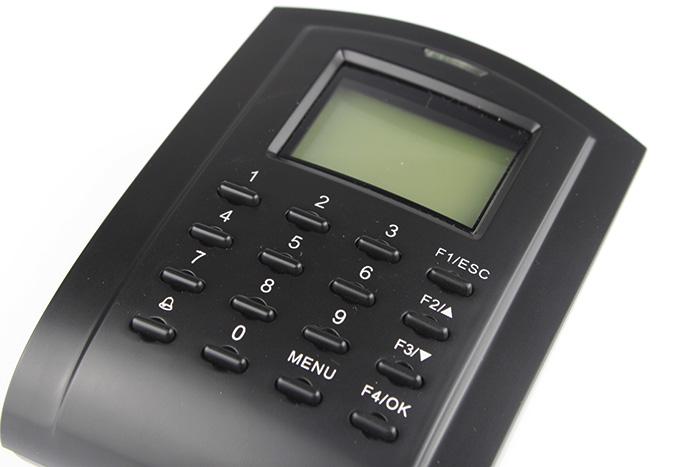
Setting up your own electronic time and attendance system doesn't have to be difficult. The article describes how to connect
autonomous TCPIP work time recorder
. Presented
RFID reader
allows you to independently launch your own access control system combined with work time registration in a very short time, without the need for professional technical knowledge.
Accessories that make up the work time system, delivered with the purchased item
RCP recorder
were presented
in this article
.
Work time recorder connection sockets
The connection sockets of the work time recorder are available at the back of the housing. Together with
proximity card reader
Connecting plugs are provided to facilitate the installation of the recorder.
We distinguish the following connection sockets:
Access control
– connection of an electric lock, alarm siren, exit button, door opening sensor, bell.
Power supply
– connection of a DC 3A 12V power source
TCPIP interface
– connecting the recorder to the computer network via the RJ-45 connector
Other communication interfaces
– connection of the recorder using Wiegand, RS232, RS485 standards
Connecting the working time system
To run your own time and attendance system, simply connect the proximity card reader to a power source. We can use any 3A 12V DC power supply or use the following:
K80 access control power supply
from our offer.
Access control recorder
with power connected.
Working time recorder
can work autonomously, but to enable remote operation of the device using software, the RFID reader must be connected to a computer network. This connection is made using a standard RJ-45 interface.
Connection plug with RJ-45 socket.
Proximity card reader
with the TCPIP network communication interface connected.
Starting the working time recorder
Turning on the power source starts the system boot procedure
working time recorder
, which should not last longer than 15 seconds.
Started, ready to work
proximity card reader
presents on the screen:
- welcome information with device status
- current time
- current date
- current day of the week
Attempting to read the proximity card supplied with
RFID reader
ends with lack of access authorization, signaled by:
- presentation of the operation result on the recorder screen
- starting a voice message in English
- red diode turns on
Soon we will publish an article on our blog describing the basic configuration of the work time recorder.